
Food delivery software: what to look for when choosing a system
Choosing your food delivery software is about more than whether guests can order online. It determines how reliably orders reach the kitchen, how accurately payments are matched, how you manage your delivery area and how dependent you remain on delivery platforms.
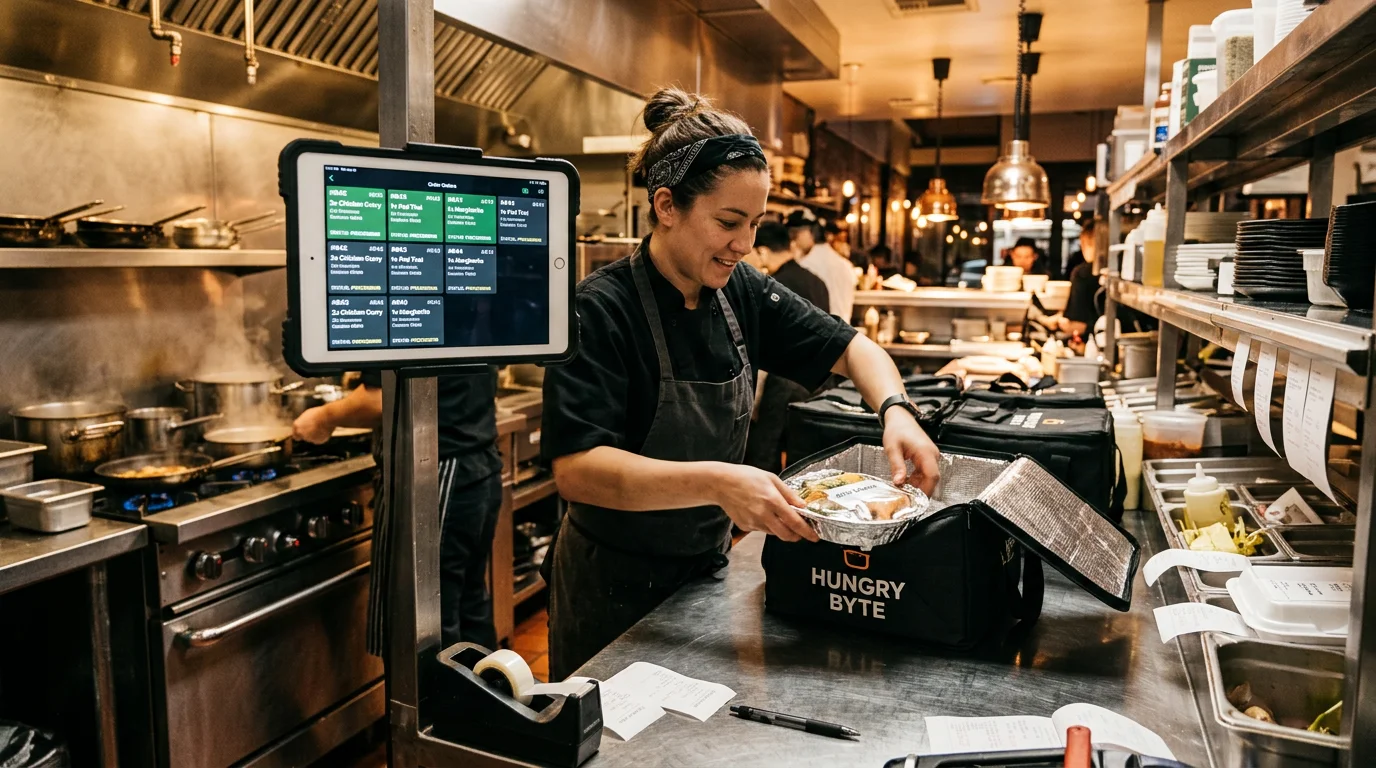
Many operators look for a solution that combines ordering, POS, delivery management and route planning. However, accepting orders and planning drivers are different tasks, which providers may cover in an integrated solution or through separate systems. Clarifying the functions you need beforehand helps you avoid buying the wrong software.
Food delivery software: selection criteria for delivery services
First, clarify what you need. An ordering system, also called online ordering or delivery software, handles orders, payments, status, kitchen handover, receipts and reports. A route planner handles dispatch, driver assignment, route optimisation and tracking.
Compare every offer against the same criteria: delivery zones, payment processing, POS, webshop and accounting integrations, data protection, pricing and scalability.
Calculate prices using your actual volume. Even a fee of 50 cents per order adds up to €300 a month at 600 orders. If the software is installed on your premises rather than provided as a cloud service (SaaS), you will usually be responsible for maintenance and backups yourself.
Software for direct orders: what you really need
Orders through your own channel bypass platforms and their commissions. You need a webshop or online ordering software that reliably processes orders, handles payments and sends orders straight to the kitchen. These three tasks form the core of any useful delivery software.
Focus on everyday operations rather than long feature lists on comparison sites. What matters is how the system handles cancellations, questions, collection and delivery orders running alongside each other, and the handover to the POS.
Delivery service software or delivery platform: control over customer data and margins
Delivery platforms provide reach because many guests start their restaurant search in a platform app. The price is commission, and the platform largely retains the relationship with guests. With your own delivery software, guest data is in your system, you set prices and delivery rules, and you can contact regular guests directly if they have consented.
You do not have to switch off the platforms immediately. Many businesses use both approaches for a while.
An ordering system for delivery: orders, status and kitchen workflow at its core
An ordering system for delivery must handle three things. It reliably accepts orders and checks the delivery area, minimum order value and opening hours. It tracks status for the kitchen and guest. And it passes each order to the kitchen without manual re-entry, as a printed ticket, on a kitchen display or as a digital ticket.
If this foundation is shaky, neither a stylish app nor a provider's promise to deliver everything from one source will help.
Order acceptance and status: essential ordering system functions
Delivery software only reduces phone calls and errors if it guides the workflow. An order arrives, the system checks the rules, your team confirms it, and the order reaches the kitchen and POS with its status. The fewer manual steps in between, the calmer a busy Friday evening remains.
Online ordering software and webshop: channels, usability and fewer abandoned orders
Whether a webshop visit becomes an order depends largely on mobile usability, as many guests order on their phones. Key points include:
- A short checkout with few steps
- Clear display of delivery fees and minimum order value
- Fast loading even on mobile networks
- Clear presentation of variants and extras
You can add your own app later, once the webshop is running reliably.
Advance orders and opening hours: scheduling orders for later
Advance orders generate additional revenue and make planning easier. Your online ordering software should accept them outside opening hours too, with clear time slots and preparation lead times for the kitchen.
With GastroSprint, the ordering shop remains open for advance orders while your restaurant is still closed. A guest can order dinner for 6:30 pm during the morning.
Status updates for kitchen and guest: received, preparing, collected or delivered
Clear status information reduces questions and phone support. Useful stages include “received”, “preparing”, “handed to driver” and “delivered” or “collected”.
However, an “on the way” status is not location tracking. Live driver tracking requires GPS data from a driver app, which usually belongs to route planning. The ordering system's job is clear status logic and smooth handovers.
Setting up your delivery area and zones correctly
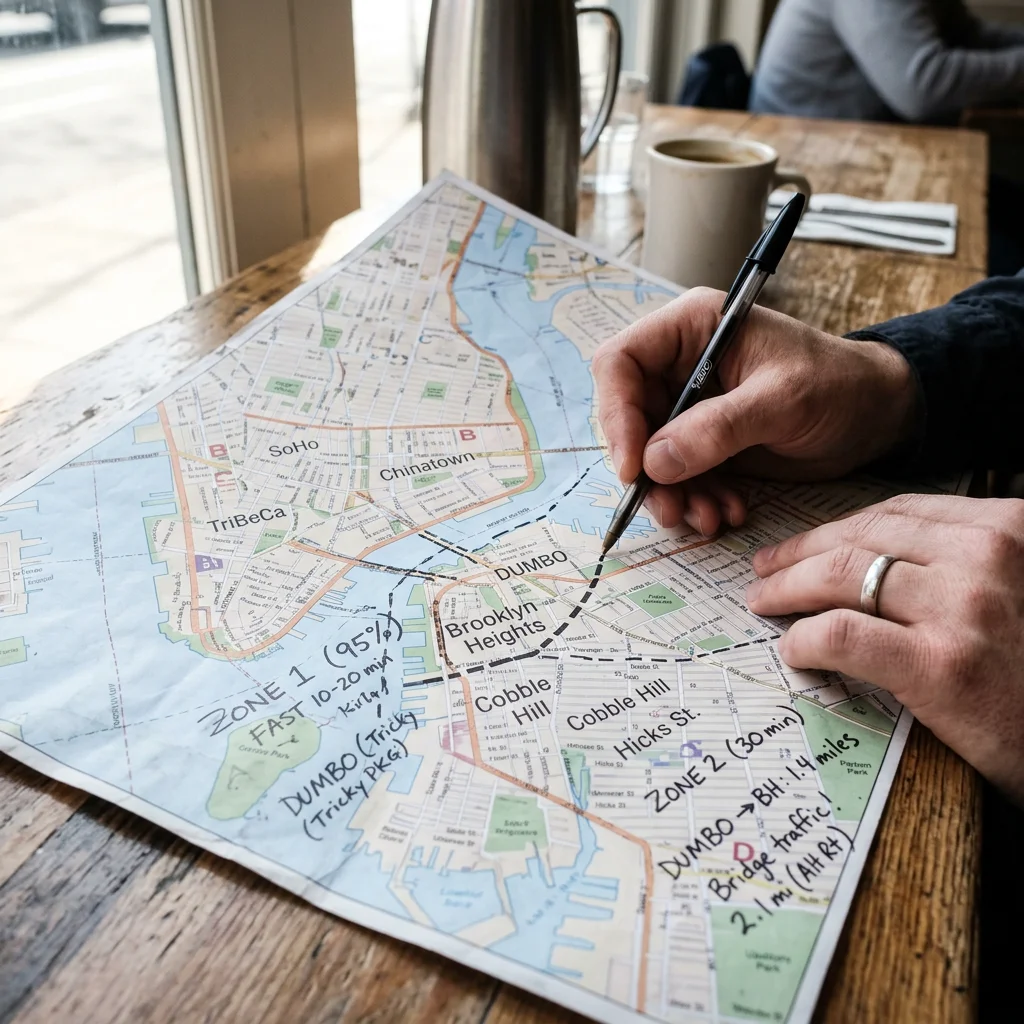
Delivery zones determine whether a trip pays for itself and whether delivery times are achievable. Without zone rules, you travel too far, charge too little or create unrealistic expectations.
In GastroSprint, you draw zone boundaries as a circle around your location or freehand on the map where railway lines or one-way streets cause detours. You then set the minimum order value, delivery fee and delivery time for each zone. Excluded postcodes are removed from the delivery area altogether.
Delivery zones by radius and excluded postcodes
A simple radius is rarely enough. A district across the river may look close on the map but take twenty minutes to reach in rush-hour traffic. Exclude such areas by postcode or draw the zone accordingly. This keeps your delivery area realistic.
Minimum order value, delivery fee and delivery time per zone
An example with three zones:
- Zone 1 (up to 2 km): Minimum order value €15, delivery fee €1.50, delivery time 30 minutes
- Zone 2 (2–4 km): Minimum order value €20, delivery fee €2.50, delivery time 40 minutes
- Zone 3 (4–6 km): Minimum order value €30, delivery fee €3.50, delivery time 50 minutes
Check these figures against your own driving costs. Then each trip covers its costs, and guests know what to expect before ordering.
Guide tip: defining your restaurant's delivery area
Before finalising zones and fees, take a look at our detailed guide to radius, zones and postcodes.
Payment processing, GDPR and proof of delivery in food delivery software
Food delivery software only helps if payments, data protection and workflows fit together. Failed payments, chargebacks and unclear cancellations cost time and money. Assess the handling of guest data and proof of delivery as carefully as the webshop's features.
Mollie Connect: online payment when ordering
With online payment, the order is paid for before the driver leaves. GastroSprint's ordering shop offers credit cards and PayPal through Mollie Connect and connects to a Mollie account in your name. Include transaction fees in your calculations; these are billed separately from your plan under your Mollie agreement.
In daily use, check that every payment clearly matches an order and that refunds work without manual processing.
GDPR and data protection requirements: customer data, processing agreements and hosting
Your software stores names, addresses, phone numbers and order histories. Check the data processing agreement under Article 28 GDPR, server location (ideally in the EU), your employees' access permissions and whether you can provide and delete individual guests' records.
If a guest requests access to their stored data, your restaurant must generally respond without undue delay and no later than one month after receiving the request, even if the provider holds the data. Where the complexity or number of requests makes it necessary, the period can be extended by a further two months. You must inform the guest of the extension and its reasons within the first month. This is set out in Article 12(3) GDPR. Ask in advance how quickly you can obtain the data from your provider.
Proof of delivery (POD): when you need it and how to assess it
Proof of delivery becomes important if you frequently receive complaints such as “the food never arrived” or serve corporate customers who require a record. Typical evidence includes a timestamp, photo, signature and GPS position. Before using it, define the purpose and legal basis for processing this personal data. Collect only the information required for that purpose and set appropriate retention periods. Delivery photos should not show unnecessary people or private details; GPS data must not be collected indiscriminately for continuous surveillance.
This data usually comes from a driver app or route planning software; a standalone ordering system rarely records it. Decide whether you need this evidence immediately or can add it later.
Kitchen, POS and delivery workflows: how orders are passed on
This is where you see whether a system simplifies processes or creates extra work. In particular, check whether the software reliably supplies the POS and kitchen with all order details, including the payment method.
Which POS software you use is secondary, as long as it is already connected and receives items, payment methods and cancellations correctly. A provider's promise of an integration in the future does not help your current delivery operation. For restaurants handling many deliveries at once, the entire evening can depend on this.
POS integration: receipts, cancellations and tips
Ask every provider these four questions:
- Do online orders appear in full in the POS, including items, extras and payment method?
- Are there clear processes for full and partial cancellations?
- How are tips paid online recorded, and how are cash tips recorded?
- Are reports available for daily closing and your tax adviser?
Interfaces and integrations (API): where your order data flows
Integrations determine whether your system can grow with you. Important capabilities include POS connections for items, receipts and payment methods, payment provider integration, CSV or DATEV exports, and the option to connect route planning or inventory management later.
When researching providers on comparison sites, give integration details more weight than star ratings. Also ask which interfaces are publicly documented.
Ordering shop plans and features
The best place to compare the prices and features of the three plans is our online ordering system overview.
Drivers, route planning and dispatch: scope and realistic expectations
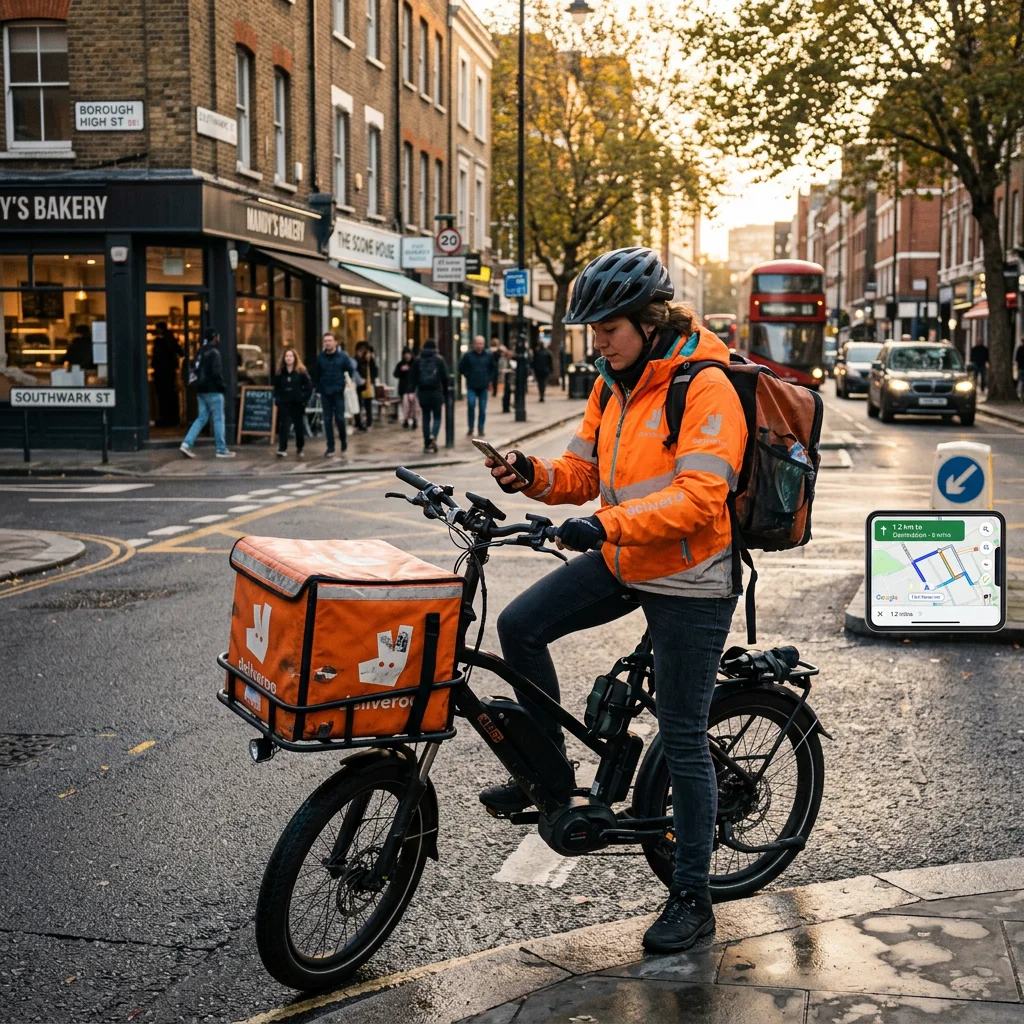
An ordering system organises orders; route planning organises drivers. For owner-operated restaurants and delivery services, distinguishing these tasks makes budgeting, setup and responsibilities easier to plan. Whether an integrated solution or separate systems are suitable depends on the provider and your needs.
What an ordering system covers and what it does not: driver information, arrival time and handover
An ordering system can show the driver the address, guest notes and payment status, and estimate arrival from delivery times. However, this is not enough to dispatch large numbers of deliveries.
When several orders are out for delivery at the same time, someone must decide which driver visits which addresses and in what order.
What route planning software is needed for: assignment, route optimisation and tracking
With several drivers and many stops per hour, you need automatic assignment, optimised routes and usually live tracking. Route planning software handles this; your ordering software does not have to. Typical features include:
- Assigning orders to drivers
- Sequencing stops by travel time (route optimisation)
- Live tracking and status updates on the road
- Proof of delivery by photo or signature
Where GastroSprint fits: order acceptance, payments and kitchen workflow
GastroSprint's ordering shop handles order acceptance, delivery zones, advance orders and online payments, complementing your existing POS system. For the kitchen, the optional Kitchen Basic add-on provides a screen view, while the Print App prints order tickets automatically. If you use WinOrder, you can connect the shop directly to that POS; further POS integrations are planned.
Delivery is handled by your own drivers or a delivery provider you contract separately. With one or two drivers, assigning routes by delivery zone is often sufficient. Businesses coordinating more drivers add a dispatch tool and clarify beforehand how addresses and delivery times will reach it, as a public interface for order data is not currently available.
Conclusion: your own workflow determines the right food delivery software
Six points belong on every checklist, from order receipt to the customer's door:
- Delivery zones that follow your actual routes, with minimum order values and fees per zone
- Reliable order acceptance with status information for kitchen and guest
- Integrated payment processing with common payment methods
- POS and accounting integration, including exports
- GDPR compliance with a data processing agreement
- Interfaces for later additions such as a route planner
Also ask for figures you can compare directly. How many delivery areas can you create? Can preparation time be set per order? And how does revenue reach your accounting system at the end of the month? Clarifying these points before signing helps you find a solution that fits your restaurant and delivery service.
FAQ
What is the difference between an ordering system and route planning software?
An ordering system manages an order from acceptance and payment through to the kitchen ticket and status. A route planner assigns drivers, plans their routes and shows their current location.
Does GastroSprint cover driver dispatch and route planning?
The ordering shop focuses on everything up to the handover to the kitchen: acceptance, delivery zones, advance orders and online payments. For assigning drivers and routes, you combine it with a dispatch tool.
Which delivery zone settings should I compare (radius, postcodes, times, fees)?
Compare whether zones can be drawn as circles and freeform areas, whether postcodes can be excluded, and whether minimum order value, delivery fee and delivery time can be set per zone. These rules must be visible in the webshop before payment.
Which interfaces and integrations (API) matter for POS and accounting?
A POS connection, payment provider interface and CSV or DATEV exports are important. Inventory management or reporting can be added as options.
What should I consider before launching online orders?
The key steps are summarised in our launch checklist for your own ordering channel .
For our free live demo , bring your current delivery zone layout if possible. We can then look together at how your delivery area would work in the ordering shop.
Sources and product basis
- General Data Protection RegulationPurpose limitation, data minimisation, response deadlines and data processing agreements.Retrieved on
- GastroSprint featuresOrder acceptance, advance orders, delivery zones, online payments and WinOrder integration.Retrieved on