Restaurant Marketing: Attract More Guests and Direct Orders
Restaurant marketing combines local visibility with easy ordering and customer loyalty. Use Google, social media, QR codes and vouchers to attract more guests and build direct orders—with practical templates, a worked example and a 30-day plan.
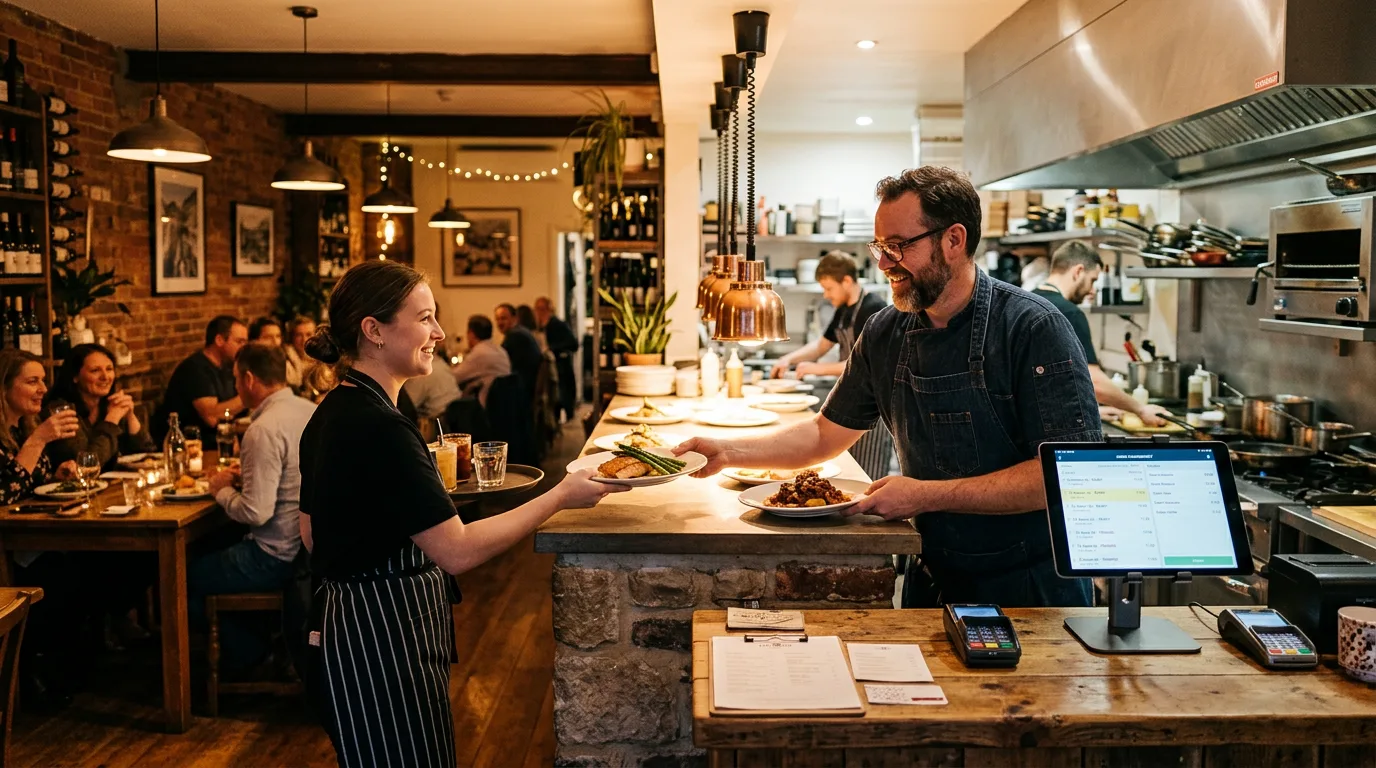
Restaurant marketing connects local visibility with direct orders and customer loyalty. This guide helps independently owned restaurants and delivery businesses choose suitable channels and measure their results.
Contents
- Plan your restaurant marketing with clear goals
- Google Business Profile and local visibility
- Your own website and online ordering system
- Social media, reviews and reach
- Customer loyalty: email, push notifications, vouchers and loyalty programmes
- Offline promotion and measuring results
- What is a direct order really worth after a discount?
- Your 30-day plan for more direct orders
- Restaurant marketing that gives you more control
- FAQ
- Sources and context
Plan your restaurant marketing with clear goals
Each measure is assessed by effort, cost and realistic expectations so you can set priorities.
The foundation is your own website and ordering shop, an online ordering system and delivery workflows. Add Google Business Profile for local SEO, social media, reviews, email newsletters, push notifications, vouchers and loyalty programmes.
If you want to get started sooner: Request a no-obligation demo.
Who is this guide for?
This guide is for restaurants and delivery businesses facing high platform commissions, few direct orders and no clear marketing plan. Guests search nearby, compare reviews and choose the most convenient way to order.
- You appear on Google Maps, but your information is incomplete or there is no clear ordering link.
- You have a website, but it converts poorly because it is slow, confusing or difficult to use on a phone.
- Social media is handled when time allows, and reviews are not managed consistently.
- You do little to retain customers through newsletters or loyalty programmes, so you constantly pay to attract new ones.
| Effort | Costs | Expected outcome |
|---|---|---|
| 30–60 minutes to assess and prioritise | 0 € | A clear focus on the marketing activities most likely to generate revenue and direct orders first |
Prioritise activities by effort, cost and objective
The sequence takes you from your Google profile through your website and ordering shop to social media, customer loyalty and performance measurement. Where reliable benchmarks are unavailable, you will find qualitative expectations and metrics for your own analysis.
| Effort | Costs | Expected outcome |
|---|---|---|
| 10 minutes to assess each activity | 0 € | Less scattered activity and more control over your marketing mix and revenue |
Use Lieferando, Wolt and Uber Eats for new customers—and your own shop for repeat orders
You do not have to choose between delivery platforms and your own ordering shop. Give each channel a role: platforms help new guests discover your restaurant, while your own shop lets people who already know you order again.
Assess Lieferando, Wolt and Uber Eats where they are available in your area. Consider additional reach, your actual return and whether your team can reliably manage several ordering channels. Being on as many platforms as possible is not a goal in itself.
Then plan the next order: how will a new guest hear about your shop? Where can they find the link later? What benefit will they get?
Important for delivery: An ordering shop does not automatically provide drivers. If you currently use a platform's delivery fleet, you need your own or an external delivery service for direct delivery orders. Compare the complete workflow and actual costs, not just commission.
Check your platform agreements before using promotional inserts or running campaigns across channels. This guide does not replace a review of your individual contract terms.
From first contact to loyal customer: Platform or Google → first order → good experience → introduction to your own shop → direct order → loyalty benefits → further direct orders.
Here, direct orders mean orders through your own website or restaurant app. Phone orders are also direct, but are counted separately when measuring digital results.
The time and cost ranges below are rough editorial planning estimates, not quotations or measured results.
Google Business Profile and local visibility
When people search for a restaurant in their town, they often decide within seconds. Your Google Business Profile is an important starting point for visibility: calls, directions, website visits and orders can follow directly from a local search.
Set up and optimise your profile
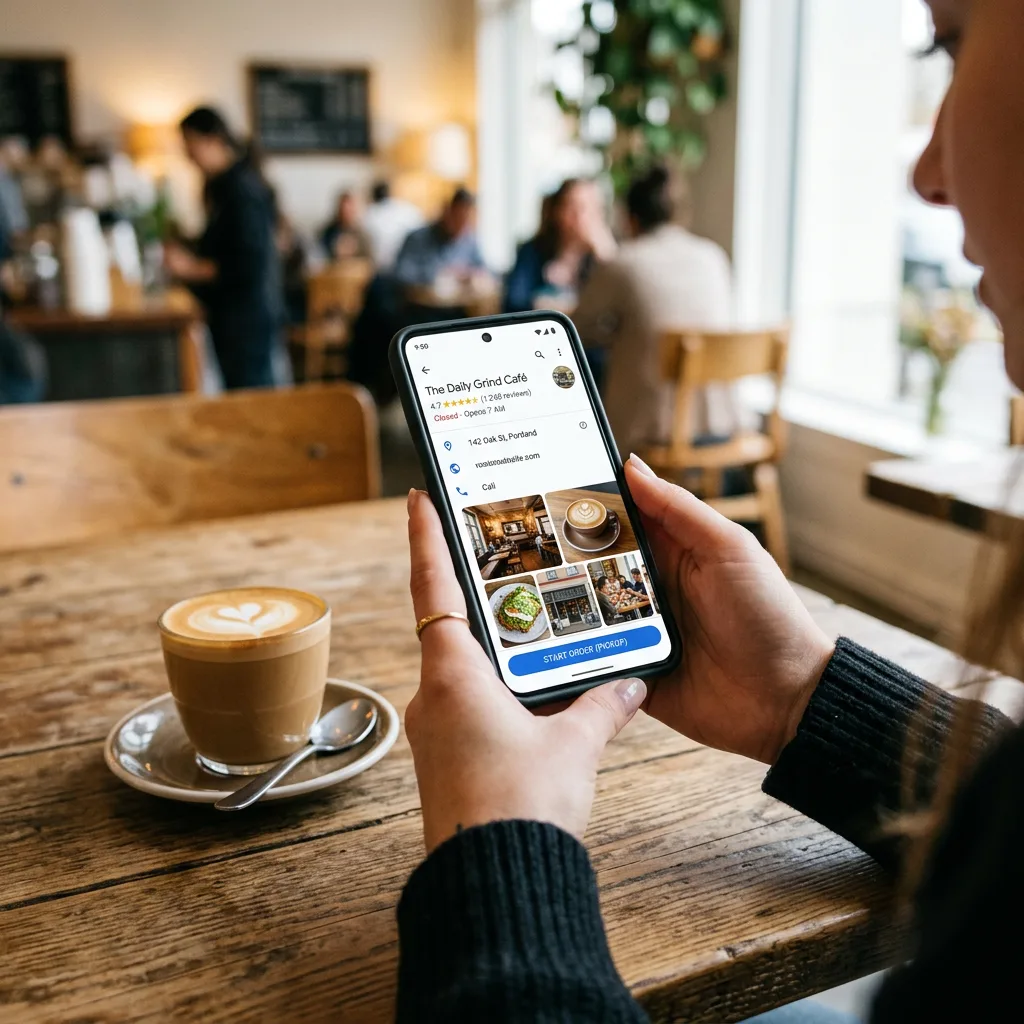
Schematic illustration, not the current Google interface. Follow the written instructions below for the actual steps.
Check categories, delivery and collection attributes, description, menu, services, contact details and opening hours—including holidays. Most importantly, add a link to your own ordering shop. Without it, guests may turn to a platform instead.
Keep your NAP details—name, address and phone number—consistent, and complete your profile information.
| Effort | Costs | Expected outcome |
|---|---|---|
| 60–120 minutes initially + 15 minutes per month | €0–50, for example for photos | Greater visibility on Google Maps and more clicks, calls and orders without an advertising budget |
Read more: Order link in Google business profile
Add your own ordering link to Google Business Profile
You can add ordering links to your Google Business Profile as well as your website address. Depending on the profile and interface, you can mark your own collection and delivery links as preferred. Your website address and ordering options are separate settings. Google: Links in local business listings · Google: Edit your Business Profile · Google: Manage online ordering options
Step 1: Open the correct restaurant profile
Sign in with the Google account that manages your restaurant profile. Find your restaurant in Google Search or open its profile in Google Maps. If you manage several locations, check the location first. The interface may vary by device. Google: Edit your Business Profile
Step 2: Add the ordering link
Open the food ordering section. Labels may refer to food ordering, collection or delivery. Select the option to add a link, enter the public address of your ordering shop and save it. Do not use a dashboard, preview or PDF link. Google: Links in local business listings
Step 3: Mark your own shop as preferred
Open the saved link and mark it as preferred where this option is available. Check collection and delivery separately, and enable only the services your restaurant offers. Do not switch off all ordering options, as this may also hide your own links. Google: Manage online ordering options
Step 4: Check your website and the public ordering journey
Under the profile editing options, check the website field too. Link to your restaurant website with a prominent ordering button, or to the appropriate shop page if the shop is your entire website. Google allows you to enter the full website address. Google: Edit your Business Profile
Then test Search and Maps as a guest: does the website button lead to the right place? Does the ordering option open your shop? Are the location, order types and times correct? A saved setting does not guarantee the same display on every device. Google: Edit your Business Profile · Google: Manage online ordering options
Further guidance: Set up your ordering link in Google Business Profile.
Posts, photos, questions and answers, and opening hours
Treat your profile as a small marketing channel: aim for a weekly post about an offer, event or lunch menu with a clear call to action, add fresh photos of food, staff and the restaurant each month, manage common questions and keep special opening hours up to date.
| Effort | Costs | Expected outcome |
|---|---|---|
| 30–60 minutes per week | €0–150 for optional content support | A higher click-through rate, greater trust and more local guests |
Directory listings and review management
Local citations are listings of your business in directories or local portals. Keep your name, address and telephone number consistent everywhere.
- Maintain accurate listings in 10–20 relevant directories
- Create a process for requesting reviews: a QR code on receipts or inserts and a brief invitation from your team
- Aim to respond to every review, especially critical reviews within 48 hours
| Effort | Costs | Expected outcome |
|---|---|---|
| 2–4 hours to set up + 15 minutes per week | €0–30 per month for optional tools | More consistent local SEO information and greater trust, with less dependence on small differences in star ratings |
Your own website and online ordering system
Marketing attracts visitors. Your website and ordering shop turn them into orders. If ordering is cumbersome, you pay for advertising and lose interested guests along the way.
Ordering website: conversion factors and a user-experience checklist
For reservations, confirmations and reminders can also help reduce no-shows; consider deposits for groups where appropriate.
- At the top of the page: “Order online” and “Book a table”
- Mobile first: fast loading, large buttons and a clear layout
- Menu structure: clear categories and prominent bestsellers
- Checkout: few steps, guest ordering where possible, clear delivery or collection times
- Trust: visible reviews, delivery area, minimum order and allergen information
| Effort | Costs | Expected outcome |
|---|---|---|
| 2–6 hours to review + 1–2 hours to implement | €0–500, depending on the system | A better shop conversion rate and more direct orders from the same number of visitors |
Make your own shop at least as easy to use as the familiar ordering route
Before printing vouchers, place an order on your own smartphone. Use the link your guests receive, rather than your saved administrator login.
Can you select delivery or collection immediately? Are minimum order values, delivery fees and times clear? Can you choose extras? Do the available payment methods work? Does the order arrive reliably at the restaurant?
We recommend letting guests start without downloading an app and, where possible, without creating an account. Offer the app later as an extra for regular customers, rather than a requirement for the first order.
A QR code needs a good destination. It cannot fix a complicated checkout.
GastroSprint provides a mobile-friendly ordering shop. You can manage the menu, prices, availability, opening hours and delivery zones in the dashboard. Check your shop's actual setup before launching a major campaign. GastroSprint: Restaurant ordering system features
Make the ordering link prominent on your website
Visitors who want to order should not have to search through your navigation. Put a clear button near the top of the page and repeat it in relevant places alongside the menu.
Suggested button label: “Order direct online”.
On mobile, a fixed button at the bottom of the screen can be useful. It must not cover content, cookie choices or other controls.
Send guests straight to your shop. A selection page showing several delivery platforms adds an extra step. Alternative ordering methods can remain available without making your own channel less prominent.
Test the whole journey from the first website visit to order confirmation, rather than simply checking whether the button works.
SEO basics for local restaurant websites
Search engine optimisation for restaurants means being locally clear, technically sound and up to date.
- Useful pages for your restaurant and neighbourhood, delivery area, and catering or events
- Name, address and phone details matching Google Business Profile
- Structured data for LocalBusiness or Restaurant, opening hours and the menu
- Internal links between the menu, reservations and ordering pages
- Concise, specific content rather than generic phrases
| Effort | Costs | Expected outcome |
|---|---|---|
| 4–10 hours to set up + 1 hour per month to maintain | 0–800 € | More organic traffic over time and less dependence on paid advertising |
Connect order management, delivery rules and menu optimisation
Marketing needs reliable operations behind it. Connecting your ordering system with order management and delivery rules can reduce mistakes and make campaigns manageable. Focus on coordinated order intake, clear delivery rules and a menu designed to support margins and average order value.
- Centralised order intake in one system for the shop and, where supported, marketplaces and phone orders
- Delivery areas, minimum orders, time slots and rules for busy periods
- Menu engineering: make profitable dishes visible through bestseller placement, clear pricing, bundles and relevant extras such as drinks or desserts
| Effort | Costs | Expected outcome |
|---|---|---|
| 6–12 hours to set up + 1–2 hours per month to optimise | €50–300 per month for software | Fewer mistakes, a higher average order value and more direct orders with better margins |
Read more: Increase direct orders in the restaurant
If you want to set up your ordering shop professionally and measurably increase direct orders: Request a no-obligation demo.
Social media, reviews and reach
Online restaurant marketing works best when the steps connect: attention through social media, trust through reviews and authentic insights, then action through an ordering or reservation link. Without this connection, social media can take time without generating revenue.
Social media: content, schedule, effort and costs
A realistic editorial schedule is easier to maintain. Plan three posts a week, each with a clear purpose and a link to the shop:
- Once a week: a featured dish, with the food as the focus
- Once a week: behind the scenes with the team or kitchen
- Once a week: an offer or occasion, such as lunch, an event or group booking
| Effort | Costs | Expected outcome |
|---|---|---|
| 2–3 hours per week | €0–300 per month for optional advertising or tools | More local reach, profile visits and website clicks, and a stronger connection with your restaurant |
Use social profiles to guide guests towards direct ordering
Make your own shop the main ordering link in your social media profiles wherever links are supported.
Show guests how a direct order works. A short screen recording can explain choosing dishes, adding extras and arranging collection. Do not rely solely on food photos while leaving the ordering process unclear.
Example wording:
You know our pizza. Have you tried our own ordering shop?
Order your favourite dish directly from us for collection or delivery.
Find the link in our profile.
Mention a benefit you actually offer, such as a first-order voucher, a special menu or loyalty points. Only claim “always cheaper” or “faster delivery” if you can substantiate it. German Act Against Unfair Competition, particularly sections 5 and 5a
Manage reviews actively: responses, effort and expectations
Reviews can be among your strongest forms of restaurant promotion. Build a process for requesting reviews, replying to each one and addressing criticism constructively, with individual issues resolved privately. Keep your profile active and current rather than relying on older positive reviews.
- Ask for reviews through a QR code, receipt or appropriate follow-up email
- Reply to every review briefly and specifically
- For criticism: apologise where appropriate, offer a solution and resolve the issue privately
| Effort | Costs | Expected outcome |
|---|---|---|
| 15–30 minutes per week | 0 € | Greater trust, a higher Google profile click-through rate and more searchers becoming guests |
Short-term campaigns: advertising versus organic reach
Organic reach and advertising complement each other. Send every ad to a suitable landing page or directly to the ordering shop.
- Google Ads for your restaurant name and relevant local restaurant searches, so guests can find your own site
- Local social ads for specific offers such as lunch deals, a new menu or a delivery special
| Effort | Costs | Expected outcome |
|---|---|---|
| 2–4 hours to set up + 30 minutes per week | €150–1,000 per month | Faster traffic and orders if the ordering journey works well; otherwise, costly clicks with little result |
Customer loyalty: email, push notifications, vouchers and loyalty programmes
Retaining guests can make restaurant marketing more profitable: you build repeat business rather than paying for every first visit. You need appropriate consent, a well-maintained contact list and manageable follow-up processes.
Email newsletters: building a list, automation and metrics
Start with newsletter sign-up on your website or shop, a QR code in the restaurant, a welcome email and perhaps a small direct-order incentive. Then send one or two newsletters a month about seasonal offers, events and new dishes.
Metrics: open rate, click-through rate, revenue per send and unsubscribes.
- Newsletter sign-up on your website or shop
- A QR code in the restaurant: “Hear about offers and new dishes first”
- A welcome email with an optional small direct-order incentive
- One or two newsletters per month featuring seasonal offers, events and new dishes
| Effort | Costs | Expected outcome |
|---|---|---|
| 3–6 hours to set up + 1–2 hours per month | €0–50 per month | Repeat orders and more predictable demand during quieter periods |
Invite guests back with their consent
Choose relevant reasons to order again: a new dish, a limited-time collection offer or an available reward. Do not simply send as many messages as possible.
Example of a message sent to guests who have opted in:
Not in the mood to cook tonight?
Our new oven-baked dish is available in our own shop.
Choose your meal and preorder for collection.
Advertising by email, SMS or WhatsApp generally requires prior express consent. German law provides a narrow existing-customer exception for electronic mail under section 7(3) UWG. An order alone does not automatically satisfy those conditions. Do not add contact details from platform orders to your marketing list without checking the applicable requirements. Section 7 UWG: Unacceptable nuisance
Start with a voluntary, documented opt-in and an easy way to unsubscribe. Also check the data-protection basis for your specific process.
Push notifications and app strategy: consent, frequency and effort
Push notifications work best when they are relevant and used sparingly. A starting point is one to four messages a month, tailored where supported to groups such as lunchtime or evening customers. Use timely content, obtain appropriate consent and provide a clear opt-out.
- Frequency: typically one to four messages per month, tied to relevant occasions
- Segmentation: for example, lunchtime customers versus evening diners
- Content: time-sensitive offers, reminders and new dishes
| Effort | Costs | Expected outcome |
|---|---|---|
| 4–8 hours to set up + 30–60 minutes per month | €0–200 per month | A quick way to invite customers back, particularly for direct orders |
Read more: Restaurant apps, customer loyalty and push marketing
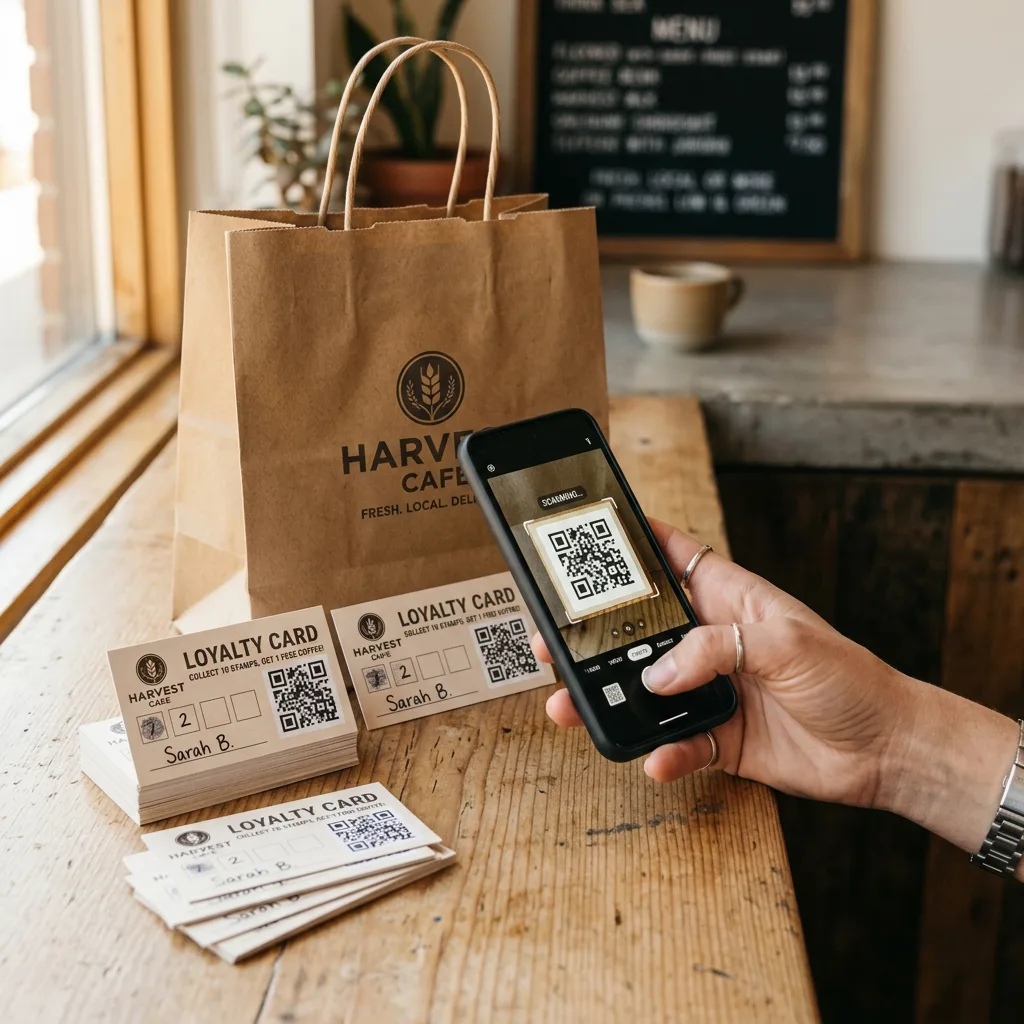
Include voucher cards for the first direct order
A voucher card brings together your restaurant's name, a way to order and a reason to try it.
Example wording:
Your next order: directly from us.
Get 10% off your first order in our own online shop.
Code: DIREKT10
Scan the QR code and choose your favourite dish.
Set the conditions before printing: what does the discount apply to? Is there a minimum order or maximum discount? Does it cover delivery, collection or both? When does it expire? How will repeated redemption be prevented? Your system must support the offer exactly as advertised. German Act Against Unfair Competition, particularly sections 5 and 5a
Every GastroSprint plan includes 1,000 free personalised voucher cards when you start. The cards link by QR code to your own ordering shop and, with Growth or Complete, to your restaurant app too. The voucher value, validity and redemption conditions are agreed before printing. A 10% discount is one possible campaign, not a mandatory offer. GastroSprint: Plans, voucher cards and additional costs
The cards are the free starter package. Your restaurant calculates and funds any discount it offers.
Build loyalty with points, rewards and a restaurant app
A voucher can encourage guests to try your own shop. A loyalty programme gives them a reason to place their next order there too.
Keep it easy to understand: guests collect points, see their progress and know which reward they can earn. Make the reward attractive for the guest and affordable for your restaurant.
The GastroSprint restaurant app for iPhone and Android offers points and rewards, app offers, repeat ordering through favourites or previous orders, and push notifications with consent. The app is included in Growth and Complete. GastroSprint: Restaurant app for Apple and Android
Example message:
Your favourite pizza comes with more: collect points, unlock rewards and order direct again.
Promote the app after a successful direct order or to regular guests. People who simply want to place an order should still be able to use the mobile shop.
Learn more: Your own restaurant app with loyalty features.
Offer benefits without a permanent 10% discount
You do not always need a discount to promote direct orders. Test a small extra, an exclusive menu or an offer during quieter times when you have spare capacity.
Example:
Tuesday is direct-order day.
Get [EXTRA] with your online order of [MINIMUM ORDER VALUE] or more.
Calculate the actual additional cost of extras, including ingredients, packaging and preparation. A free item is not automatically cheaper than a discount, particularly if it replaces something the guest would normally buy.
Separate the first-order incentive from long-term loyalty. A permanent discount can reduce revenue from orders that would have been placed directly anyway.
Reward a useful next step instead of automatically discounting every order.
Customer loyalty metrics: lifetime value, repeat purchase rate and open rates
Choose a small set of metrics to review monthly: repeat purchase rate, an initial estimate of customer lifetime value, voucher redemption, newsletter opens and clicks, push opt-ins and clicks, and the share of direct orders versus platform orders.
- Repeat purchase rate, for example within 30 or 60 days
- Customer lifetime value: a rough estimate is enough to start
- Voucher redemption rate: vouchers redeemed divided by vouchers issued
- Newsletters: open and click-through rates
- Push notifications: opt-in rate and clicks
- Direct orders as a share of direct and platform orders
| Effort | Costs | Expected outcome |
|---|---|---|
| 1–2 hours per month for reporting | 0 € | A clearer view of which restaurant marketing activities are actually profitable |
Offline promotion and measuring results
Online visibility helps people discover you; offline reminders can build habits. Measurement shows whether either is working.
Use stickers on pizza boxes and packaging
A sticker can explain why ordering directly next time is worthwhile. Place it visibly on the outside without covering mandatory information or seals. Include a QR code and a readable shop address.
Example with a specific commission amount—use only when it is demonstrably correct for that order:
We pay over €4 in commission to Lieferando for this order.
Enjoyed your meal? Order directly from us next time.
Scan the QR code · [SHOP ADDRESS]
A fixed euro amount will not apply to every order. Order values, calculation methods and contract terms differ. Do not use this sticker on every box, particularly on orders from other channels. False or deceptive commercial statements may be misleading. German Act Against Unfair Competition, particularly sections 5 and 5a
Example without a fixed commission amount:
The same favourite food. Directly from us next time.
Your direct order supports our restaurant.
Order here: [SHOP ADDRESS]
Compare a straightforward message about supporting the restaurant with a specific customer benefit. Invite guests to try a new ordering route without making them feel guilty about their previous choice.
Put a QR-code display on the collection counter
Mention the next order when handing food to collection customers. Position the display where they can see it while paying or waiting.
Suggested wording for the display:
Next time, place your order before you leave home.
Order your collection directly through our online shop.
10% off your first direct online order with ABHOL10.
Scan the QR code · Terms apply.
Your team can add a short explanation:
“Next time, you can preorder through our own shop. Here is a card with a voucher.”
Keep the cards at the packing station and decide who hands them out. A display alone does not replace a clear process.
Offer only collection times your kitchen can meet. Do not promise that guests will never have to wait unless you can guarantee it.
Print a QR code and shop address on the menu
Your printed menu should include a route to online ordering as well as your dishes and phone number.
Suggested wording:
Choose today. Order directly online next time.
Delivery and collection: [SHOP ADDRESS]
The code should lead to a menu guests can order from, rather than just a PDF. Print the address in plain text too, so the ordering route remains visible without scanning.
Use an address you control for printed materials. A short redirect on your own domain can be updated when you change shops, without reprinting every card.
Before printing the full batch, test an actual printout with several smartphones. Check contrast, spacing and scanning under typical restaurant lighting.
Reach new customers through local businesses, hotels and referrals
Over time, your own shop should attract more than guests who first ordered through a platform.
Contact suitable businesses in your delivery area: offices with regular lunch breaks, hotels without an evening kitchen or local clubs. A small QR-code card can lead straight to your shop. Be specific about ordering times, minimum order values and delivery terms.
Example offer for offices:
Planning your lunch break? Preorder directly.
Find our lunch offers in our own shop.
Delivery to [AREA] at the stated times.
Start referrals with traceable promotional codes. Link rewards to completed orders that meet your conditions. Check any specialised referral or group-ordering features with your provider before promoting them.
Measure each activity through to a completed order
Use distinct QR destinations or promotional codes for packaging, the counter and printed menus. Your main visible address can remain the same.
UTM parameters can attribute visits to campaigns in appropriately configured analytics reports. That does not yet measure an order. Where technically supported and legally permissible, the source needs to remain traceable through to checkout completion. Google Analytics: Collect campaign data with custom URLs
We recommend these four metrics:
| Metric | Calculation | What it tells you |
|---|---|---|
| Online direct-order share | Website and app orders ÷ all online orders × 100 | What proportion of orders already comes directly to you? |
| First-order rate from cards | Attributed first direct orders ÷ cards distributed × 100 | How many first orders can you attribute to the card campaign? |
| Repeat-order rate | First-time customers placing another direct order within a defined period ÷ first-time customers in the cohort × 100 | Do guests stay with your direct channel? |
| Financial benefit | Comparable platform costs minus additional direct-order costs | Is the switch worthwhile after discounts and other costs? |
Do not count cancellations as successful orders. Compare similar periods and order types. A redeemed card does not prove that the order would otherwise have gone through Lieferando.
Measure total orders and financial return as well as changes in ordering channel.
What is a direct order really worth after a discount?
Saved commission is not automatically extra profit. Deduct discounts, payment fees, rewards and other additional direct-order costs. Account for ongoing shop costs too.
Simplified worked example: A €30 order, an assumed platform commission of 14% and an assumed direct payment fee of €0.60. All amounts use the same basis excluding VAT. The 14% is an illustrative assumption, not a universal Lieferando rate.
| Item | First direct order | Subsequent direct order |
|---|---|---|
| Comparable platform commission avoided | 4,20 € | 4,20 € |
| 10% welcome discount | −3,00 € | 0,00 € |
| Assumed direct payment fee | −0,60 € | −0,60 € |
| Remaining benefit before other costs | 0,60 € | 3,60 € |
This example assumes equal preparation and delivery costs. If driver, packaging, support or other costs change, include the difference as well.
The first direct order may mainly be the start of a longer customer relationship. What matters financially is whether further orders follow without a large first-order discount every time.
Your 30-day plan for more direct orders
Week 1: Check the ordering journey and your starting point. Test the shop, add the Google links and place the website button. Record online orders, the current direct-order share and actual fees.
Week 2: Make your shop visible in the restaurant. Start with voucher cards, packaging messages and a counter display. Set up a simple process at the packing station and record how many cards are distributed.
Week 3: Test two options under comparable conditions. Compare a welcome discount with a small extra, for example. Use separate codes and distribute the options as evenly as possible. Do not change the offer, design, audience and shop all at once.
Week 4: Review completed orders and costs. Check first orders, basket values, discounts and ordering problems, not just scans. Continue with the more promising option. Review repeat orders from the same first-time customer cohort after 60 or 90 days too; four weeks is often too short for a complete picture.
Restaurant marketing that gives you more control
Build a connected approach: Google Business Profile for visibility, your website and shop for orders, social media and reviews for trust, and email, push notifications, vouchers and loyalty programmes for repeat business. Measure the results with a clear set of metrics.
If you want to build your own ordering channel professionally and reduce platform commission: Request a no-obligation demo.
FAQ
How soon will I see results from improving my Google listings?
It depends on your existing profile, the competition and the changes you make. Compare profile views, calls, ordering clicks and actual orders over similar periods. There is no fixed deadline for improved rankings.
Is an ordering shop worthwhile compared with delivery platforms?
In many cases it can be, because you avoid platform commission and can build customer relationships through your own channel. The shop needs to be easy to use and actively promoted through Google ordering links, QR codes and social media.
Which metrics matter most for small restaurants?
Direct orders and their revenue, direct-order share versus platforms, shop conversion rate, repeat purchase rate, cost per order and review trends.
How can I start a loyalty programme with little effort?
Begin with a simple points or stamp scheme for direct orders. Promote it in the shop, in the restaurant and on inserts, and measure redemptions.
What does a basic newsletter setup cost, and what results are realistic?
Tool costs are often modest, around €0–50 per month. Build gradually: first the list, then simple automation and regular campaigns. Measure repeat orders as your audience grows.
Do I need to cancel Lieferando?
No. Assess each platform by its contribution to new customers, financial return and operations. Build a direct channel alongside it so existing guests have another option for their next order.
Is a 10% discount the best option?
Not necessarily. Compare it with a costed extra or another benefit. What matters is the return over several orders, not just the number of vouchers redeemed.
Sources and context
The wording templates, promotional codes, effort and cost ranges are editorial examples, not measured customer results. The calculation uses explicitly assumed conditions. Plan features, voucher cards, Google ordering links and section 7 UWG were checked against the linked sources on 25 September 2026.
Sources and product basis
- GastroSprint plans and voucher cardsStarter voucher cards and app features in Growth and Complete.Retrieved on
- Google: Manage online ordering optionsYour own ordering links and preferred options for delivery and collection.Retrieved on
- Section 7 UWG: Unacceptable nuisanceConsent for electronic advertising and the existing-customer exception.Retrieved on