Restaurant software overview: Which systems a restaurant really needs
Running a restaurant or delivery service means using software at the POS, on your ordering website, for table reservations and, at the latest, for month-end accounts. What matters is which program actually saves work and which simply consumes licence fees and training time.
In many businesses, the software landscape grows without a plan: first a reservation app, then one tablet for each delivery platform. Eventually, the team retypes orders from one screen into another. This overview groups systems by task and explains which investments become worthwhile at different business sizes.
Which systems a restaurant needs: front and back of house
Once several programs run side by side, dividing them into two groups helps. Front of house covers guest-facing tasks; back of house covers everything behind the scenes. Common systems fit as follows:
| Area | system | Core task | Important functions |
|---|---|---|---|
| Front of house | POS system | Accept payments and record sales | TSE security device, receipt printer, card terminal, DSFinV-K export |
| Front of house | Online ordering system | Accept delivery and collection orders | Menu, delivery zones, online payment and kitchen handover |
| Front of house | Reservation system | Plan table occupancy and reduce no-shows | Online reservations, reminders and table plan |
| Back of house | Inventory management | Track stock and food costs | Stocktaking, supplier prices and recipe costing |
| Back of house | Accounting | Organise documents for month-end accounts | E-invoices, cash-flow overview and export to your tax adviser |
| Back of house | Staff scheduling | Fill shifts and record working time | Rota, shift swaps and hours export |
| Back of house | Marketing | Reach guests again through your own channels | Newsletters, voucher campaigns and push notifications with consent |
Assess every system against three questions. Does it reduce costs? Does it speed up processes? Do you retain control of your data?
The third question most clearly separates a delivery platform from your own channel. On a platform, you pay commission per order and have little access to guests’ contact details. Software for restaurants and delivery services should therefore open up your own ordering channels.
A framework for choosing restaurant software
Businesses often buy first and ask what problem the software should solve later. A consistent framework for every software purchase is better. It prevents disconnected tools from piling up and keeps you from spending more time in the office than with your guests.
Restaurant management goals: costs, speed and control of data
Set your goals before comparing providers. Good restaurant software measurably improves at least one of these:
- Costs: Fewer staff hours spent on routine tasks, lower food costs and lower platform commission
- Speed: Orders reach the kitchen and POS faster and with fewer errors
- Control of data: You retain guest data in compliance with the GDPR, and handover to your tax adviser requires no rework
Make each goal measurable, for example “stocktaking in two hours instead of five”.
Selection criteria: business size, cost structure and everyday usability
Software that runs smoothly in a 30-seat café may reach its limits at 200 orders in an evening. Compare stability, support and spending over the full contract term.
- Does the solution suit your concept, including delivery share, locations and menu? If you also cater for corporate celebrations and events, establish whether it is sufficient or whether dedicated catering software is needed.
- What are the actual costs, including licences, fees, hardware and minimum contract term?
- Can it handle everyday restaurant operations, including weekend support, resilience and fast operation?
Front of house: restaurant software for POS, ordering and reservations
The guest-facing area quickly reveals whether software works well. If the POS stalls on a Saturday evening, guests notice immediately.
POS systems: payments, hardware and cash records
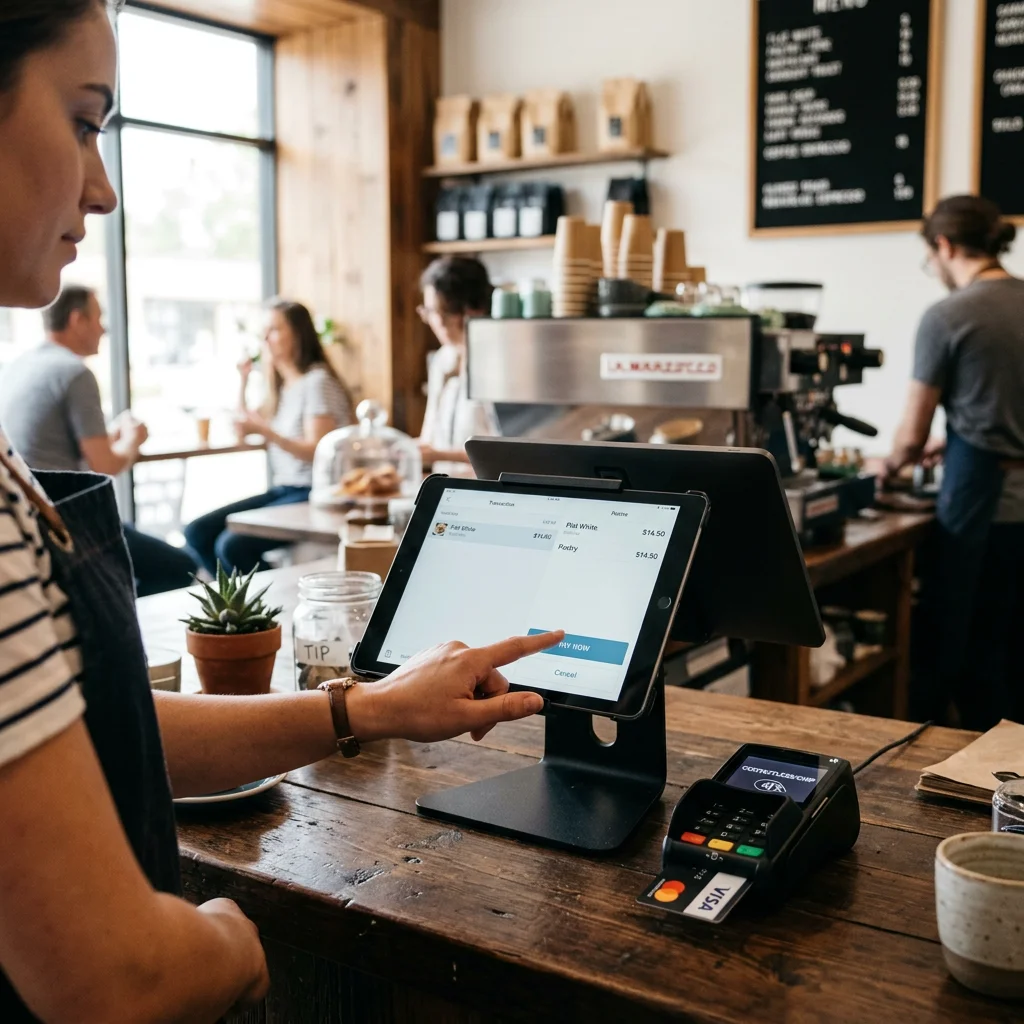
The POS system is central to tax records and daily operations. It must remain fast and stable even when the restaurant is full.
- Flexible payment methods and clear invoices, including receipts for business hospitality expenses
- Suitable hardware such as receipt printers and card terminals, plus an offline mode
- Certified TSE, records compliant with German GoBD requirements and DSFinV-K data export
There is still no general legal requirement to use an electronic cash register as of October 2026. Electronic POS systems within the scope of the German Cash Register Security Ordinance are subject in particular to the TSE, receipt and notification requirements under Section 146a of the German Fiscal Code; statutory exceptions and possible exemptions must be considered. Notifications have been handled through ELSTER since 1 January 2025; newly acquired systems subject to reporting must be registered within one month. Businesses using an open cash box must record receipts and expenses daily, usually in a cash book. Restaurants buying a template marketed as a restaurant cash book should check whether later changes remain traceable.
On 23 September 2026, according to the Federal Ministry of Finance , the Federal Cabinet approved a draft law introducing mandatory cash registers from 2028 for businesses with annual total revenue of at least €100,000. Businesses with less than €12,000 in annual cash sales would be exempt. Receipts would also be made available digitally, for example through a QR code on the POS display, with paper receipts provided only on explicit request. The law has not yet been passed, and details may change during the parliamentary process.
Online ordering systems: your own channel or a delivery platform
An ordering system often offers the quickest opportunity to recover money, as orders through your own channel carry no delivery-platform commission. Good restaurant ordering systems and apps bring guests directly to your website through a website link, QR code or Google Business Profile.
GastroSprint is an example of an ordering system deliberately focused on this task. Guests order delivery or collection through your own website, and GastroSprint takes no percentage of those orders. Online payments are processed by Mollie, with which you hold your own contract and which charges transaction fees. POS and inventory management remain separate systems. If you use WinOrder, there is a direct connection to the ordering website; for any other POS, clarify before launch how online sales enter your records.
In the kitchen, the optional Kitchen Basic add-on displays orders on a kitchen display system, or KDS, for €49 net per month for up to three screens or €69 net per month for up to ten. Alternatively, the Print App for Mac and Windows automatically prints each order as a ticket.
Find all other functions in the feature overview. Fixed monthly fees and platform commission are compared in the online ordering system pricing guide .
Reservations and table management: fewer no-shows, better occupancy
A reservation system reduces no-shows, meaning guests who book but do not arrive, through automatic reminders or deposits for large tables. You also see when tables become available and who visits regularly. Without a connection to the POS and table plan, service staff eventually return to lists at the counter, bringing paperwork back.
Back of house: restaurant software for inventory, accounting, staffing and marketing
Profitability is determined behind the scenes. Guests never see these programs, but they reveal food costs, staffing costs and cash flow. The more restaurant businesses you run, the more important they become. Well-organised processes make restaurant management and finances more predictable.
Marketing also belongs here. With their consent, you can contact guests who order directly through your website or reserve with you again later; this generally does not apply to platform guests.
Inventory systems with recipe management and menu engineering
Restaurant inventory software records purchasing, stock and consumption. A stocktaking list and regular ordering schedule are often enough for a small menu; a large menu, catering or a second location makes a dedicated system worthwhile.
- Stock: Real-time stock levels and stocktaking
- Purchasing: Supplier prices and how they change
- Recipe management and menu engineering: Calculate food cost per dish and contribution margin
If pizza ingredients cost €3.10 and you receive €10.00 net, the food cost is 31%. When the cheese price rises, recipe costing immediately shows the change.
Restaurant accounting software: documents, invoices and finances
Restaurant accounting involves many documents, with POS data, supplier invoices and delivery-platform statements arriving constantly. Good accounting software organises them so that month-end accounts are manageable. Since 1 January 2025, businesses established in Germany must be able to receive e-invoices for the domestic B2B transactions concerned. An email inbox is generally sufficient for receipt; for structured processing, software should support suitable formats such as XRechnung or appropriate ZUGFeRD profiles. Receiving and issuing invoices are separate matters; transitional rules and exceptions apply to issuing them. Details are provided in the Federal Ministry of Finance’s e-invoicing FAQ.
- Invoice capture with export to your tax adviser
- Overview of cash flow and expenses
- Separate reporting for restaurant, delivery and catering operations
Staff scheduling and time recording: filling shifts despite staff shortages
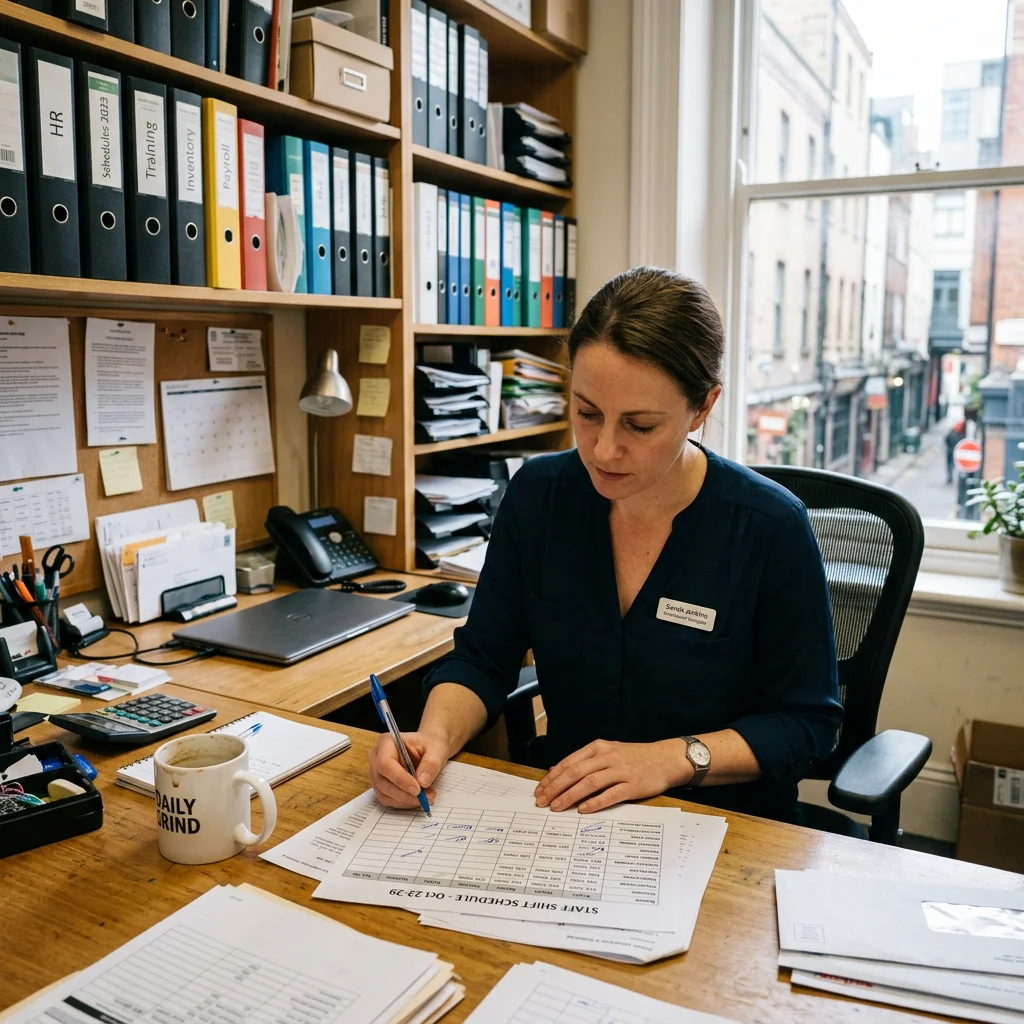
Staffing is one of the largest expenses, and staff shortages make it difficult to fill an uncovered shift at short notice. Scheduling software with time recording shows where hours are spent and replaces spreadsheets. For hospitality employees covered by Section 17 of the German Minimum Wage Act , the start, end and duration of daily working time must be recorded no later than the end of the seventh calendar day following the work and retained for at least two years. Exceptions apply under the German Minimum Wage Documentation Obligations Ordinance, including, under certain conditions, higher-paid employees and family members working in the business. Other working-time recording obligations remain unaffected.
- Shift planning with rules for minimum staffing and rest periods
- Shift swaps through an app with shift supervisor approval
- Hours export for payroll
In practice: overlapping functions, integrations and data protection
Many programs and restaurant apps do more than their core task: a POS may handle reservations, while a reservation system sends newsletters. Designate a primary system for each task and clarify how data flows. A stable setup has tested integrations, clear access rights and a responsible person for each process.
Where functions overlap and when a standalone solution is enough
Standalone tools can be entirely sufficient for small businesses. A single-site takeaway can work well with separate POS, ordering and scheduling systems, provided duplicate price maintenance and sales transfers remain manageable. Many traditional restaurants with regular guests get by with a POS and a simple reservation tool.
Problems arise when order volumes increase or a second location opens. Each missing integration then costs working time every day.
Integration checklist: checking APIs and connections with software providers
Ask every software provider to demonstrate how an integration works in practice. Clarify these points before signing:
- API for custom requirements: Do you need a custom connection, and is a documented interface available for it? A suitable ready-made integration may already be enough.
- Ready-made integrations: Which POS and accounting systems are connected?
- Data direction: Does data flow in one direction or both?
- Stability after updates: Does the connection keep working after updates?
- Support: Who helps if the connection fails at the weekend?
Find direct comparisons of ordering systems and delivery platforms in our provider comparisons.
GDPR and data security: roles, backups, access and control of data
Data protection comes down to practical questions. Who on the team may see which data? How often are backups made, and where are the servers? Can guest data be exported and deleted? You are responsible for data from your own channels and enter into a data processing agreement under Article 28 GDPR with each service provider processing it on your behalf.
Conclusion: Build your restaurant software setup step by step
Build your systems step by step. Start with legally compliant cash records, then add your own ordering channels. If you use an electronic POS system within the scope of the German Cash Register Security Ordinance, the TSE requirements apply in particular. Add inventory, accounting and scheduling software as your menu, team or number of locations grows and management becomes more complex. Assess every new restaurant software purchase against the same three questions: costs, speed and control of data.
If your next step is an own ordering website alongside your POS, a free demo is worthwhile. A practical example shows the journey an order takes from the website into your kitchen and which tasks remain with the POS.
FAQ
Which software does my restaurant need first?
Legally compliant cash records come first. There is currently no general requirement to use an electronic cash register. If you choose an electronic POS system within the scope of the German Cash Register Security Ordinance, the TSE requirements apply in particular. Depending on your concept, add a reservation system and, once collection or delivery becomes important, your own online ordering system.
At what business size does inventory software become worthwhile?
As soon as you can no longer reliably track food costs, and at the latest when you have several locations or a large menu.
Can GastroSprint replace my POS system?
No. GastroSprint is an ordering website for delivery and collection that sends orders to the kitchen through a display with the Kitchen Basic add-on or printed tickets. POS and inventory tasks continue to run through your own programs.
What ongoing costs does an own online ordering system have?
If you only need the ordering website, GastroSprint Direkt starts at €64 net per month. There is no setup fee and the commitment is only one month. With an own iPhone and Android app, Growth costs €119 net per month; with an additional restaurant website, Complete costs €149. Both plans have three-month terms, and Complete also has a one-off €499 setup fee. Mollie transaction fees are not included in these prices.
What matters for APIs, integrations and data security?
Suitable integrations with reliable support, clear control of data, roles and permissions, regular backups and required GDPR data processing agreements matter. A documented API is mainly needed when developing custom connections; a ready-made integration may be sufficient for your business.
Sources and product basis
- Federal Ministry of Finance: draft cash register legislationCabinet decision of 23 September 2026; the planned changes are not yet law.Retrieved on
- German Fiscal Code, Section 146aRequirements for electronic recording systems and notification obligations.Retrieved on
- German Cash Register Security Ordinance, Section 1Scope of electronic recording systems.Retrieved on
- Federal Ministry of Finance: e-invoicing FAQReceiving and issuing e-invoices for domestic B2B transactions.Retrieved on
- German Minimum Wage Act, Section 17Recording and retention of working time for covered employees.Retrieved on
- German Minimum Wage Documentation Obligations OrdinanceExceptions to the special documentation obligations under the Minimum Wage Act.Retrieved on
- GastroSprint pricesMonthly plans and the optional Kitchen Basic add-on.Retrieved on